





Key takeaways
The SingleCare app allows users to compare prescription costs across local pharmacies and save on medications by using a digital drug coupon.
Users can search for medications within the app’s library of over 10,000 discounted prescription drugs, adjusting for form, dosage, and quantity to match their prescription needs.
Savings are obtained by presenting the digital drug coupon to the pharmacist at the time of purchase, with the app also storing a digital prescription savings card for future use.
Most of the time, when you’re prescribed new medication, you’re not at home. You’re likely at the doctor’s office receiving a new treatment plan, or you’re picking up your medication at the pharmacy counter. The SingleCare app makes it easy to compare medication prices on the go and save money in the process.
To get started, visit the Google or Apple app store to download it for Android or iOS.
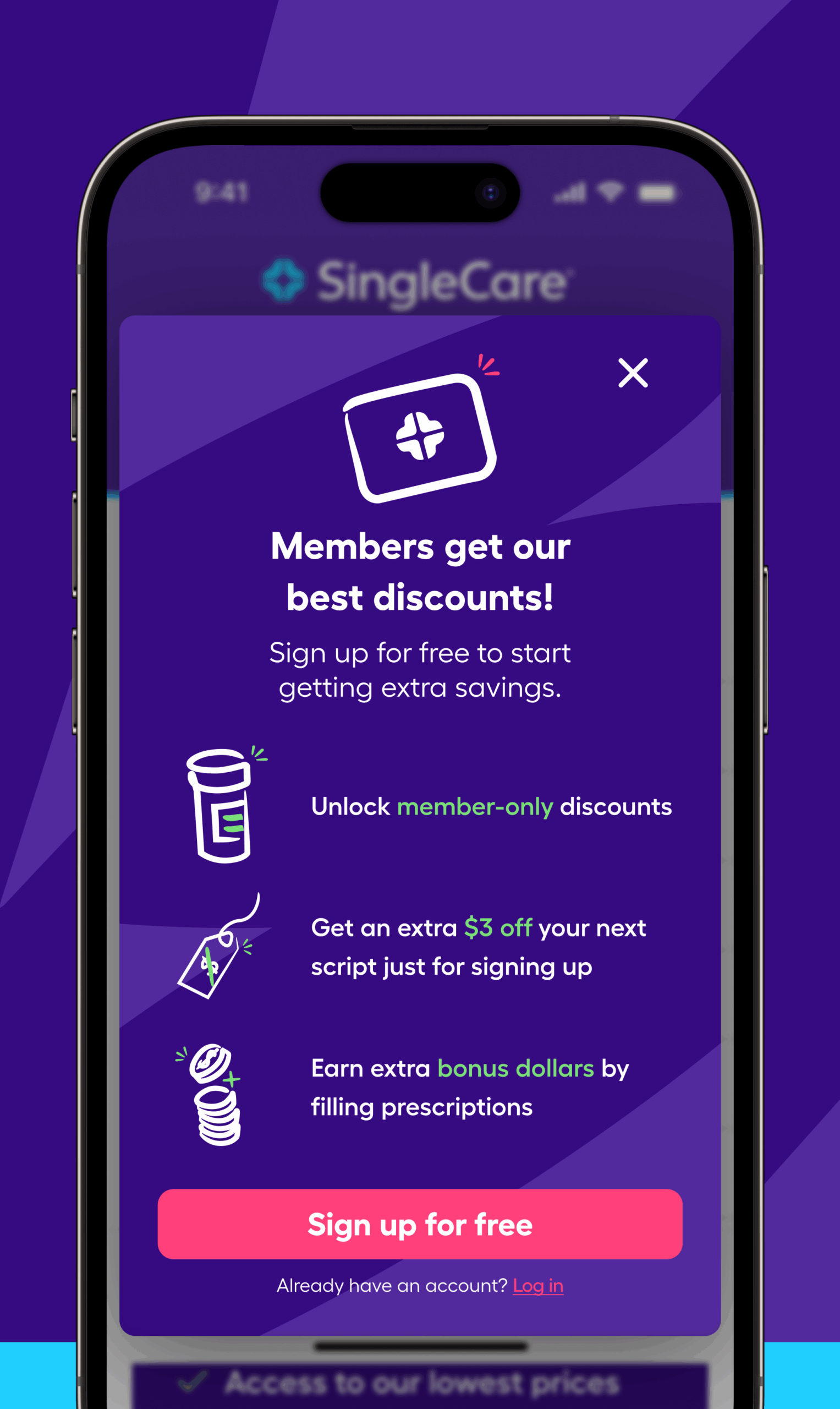
The first time you download and open the app, you’ll get a “Welcome to SingleCare” message, explaining your three main steps to savings:
- Compare prescription costs between local pharmacies.
- Save the drug coupon you want to use.
- Show the drug coupon to your pharmacist and save.
Just touch the pink Sign up for free button to begin.
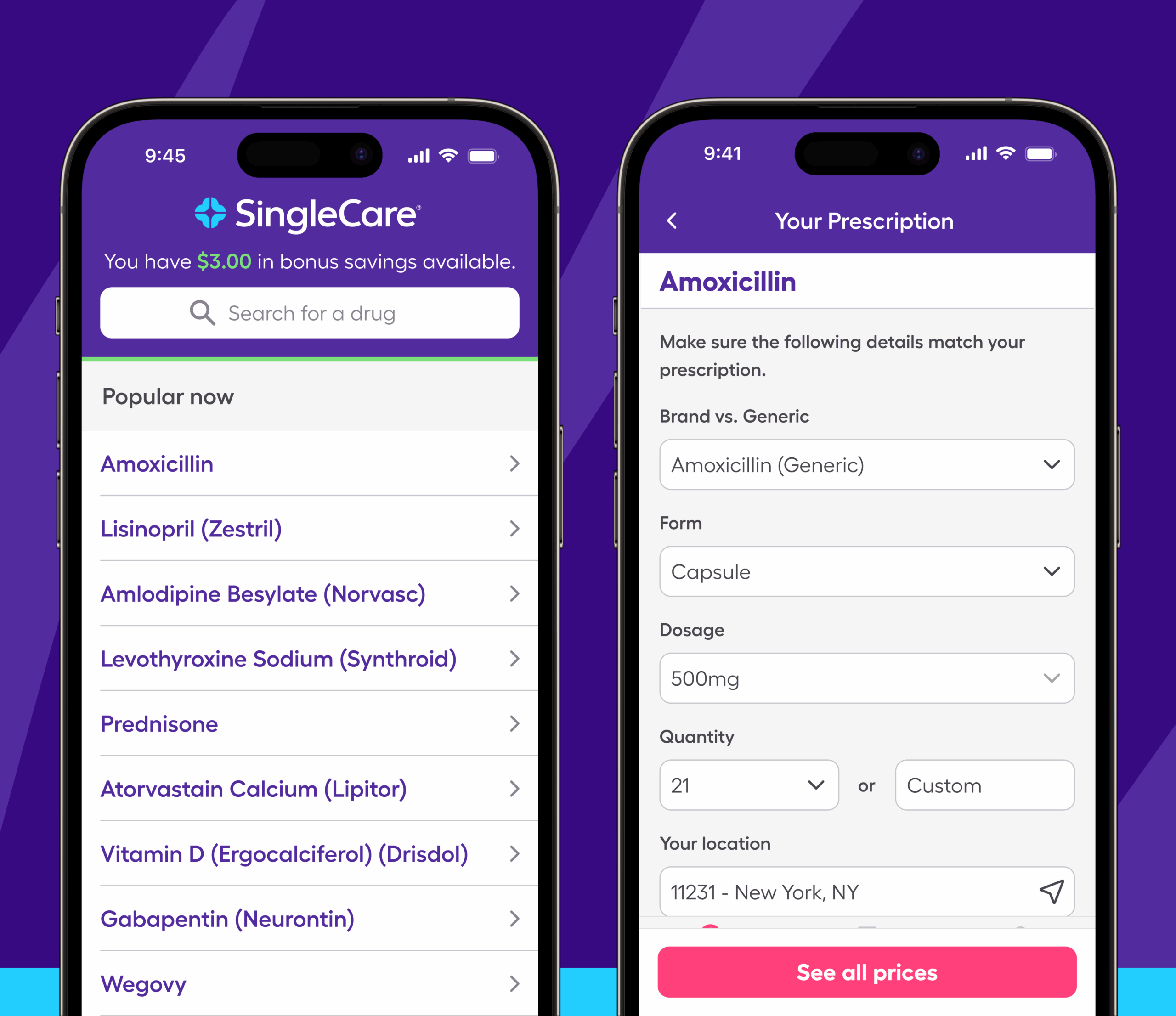
Search for your medication from our library of 10,000+ discounted prescription drugs.
- Type your medication name (or select from one of our most popular medications).
- Enter your ZIP code, or touch the arrow to let your device use your current GPS location.
- Adjust the Form, Dosage, and Quantity to match your prescription information.
- Touch See all prices.
Then, you’ll see a list of pharmacies and how much they charge for your medication. Click on the pharmacy with the lowest price to get your coupon card. You can then save it, text or email it to yourself or a friend, or add it to your digital wallet.
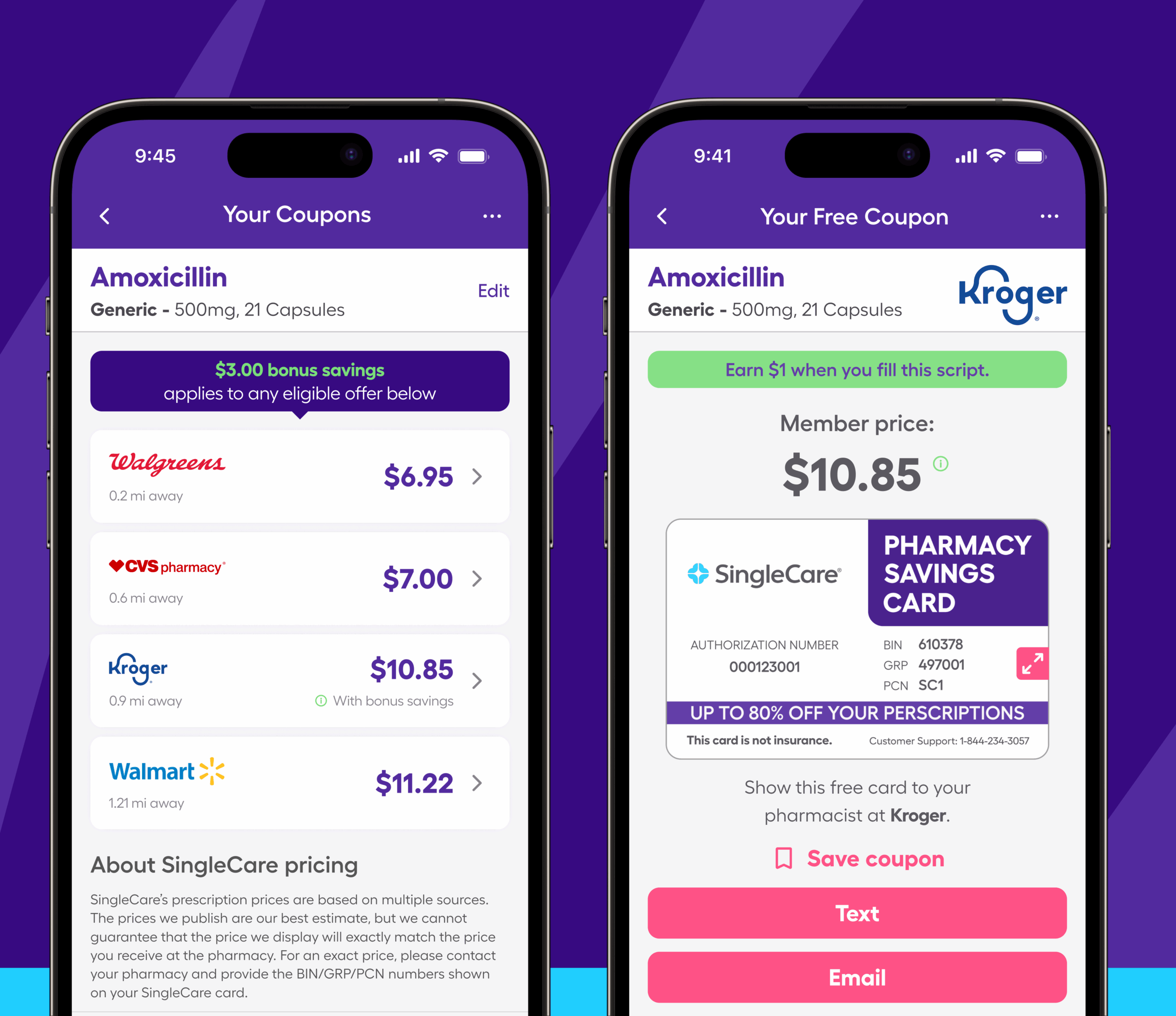
Then just show your drug coupon card to the pharmacist or pharmacy tech at the counter to save.
After you’ve found and saved your first coupon, your prescription savings card is always available when you touch Saved at the bottom of the screen. Your Search screen will remember recent medications, so it’s easy to find a coupon for your next refill.
If you have trouble using the SingleCare app, we’re always here to help. You can call customer support at (844) 234-3057. If your pharmacists need help applying your savings, they can call pharmacist support at (800) 974-3135. Tap the hamburger menu at the upper right-hand corner of the app to read our FAQs or find out how to contact us.
Like all of SingleCare’s services, the app is free to use at 35,000 partner pharmacies nationwide. Download the SingleCare app now, and start saving up to 80% on your prescriptions in only a few seconds.
SingleCare reviews
“I have been taking a medication for years that is the only medication I have found that helps treat my migraines, but my insurance refused to pay for it, told me I was using it improperly. With my Dr’s support and SingleCare, I am able to eliminate the insurance company and pay cash with the low price SingleCare provides.” granEGC on February 19, 2025
“I love this app! 99% of the time it’s cheaper to get my meds this way than through my insurance. So I have the pharmacy put this as my primary. If a med is in a higher price range, I’ll have them check both. Rarely does my insurance pay more. I used Good RX for a long time but SingleCare usually has a better price. I’m a happy camper …(please don’t go away) Mellye A on June 8, 2025
“I definitely recommend this app. I paid $40 for a $200 prescription medicine.” Vinay K. on March 25, 2019
“[I] love being able to look up the prices of medications. Some places were 50% more than others! Who would have thought? I will be using this every month!” Cara S. on August 12, 2018
- Medically accurate: SingleCare’s Medical Review Board analyzes all of our content to confirm it’s in line with current medical advice.
- Evidence-based: Our content is sourced from reputable U.S.-based healthcare professionals and peer-reviewed research.
- Trustworthy: All of SingleCare’s content goes through a multi-phase review process by our writers, editors, and Medical Board in order to provide clear and credible information.