





Key takeaways
If your Wegovy coupon is not working, it may be due to a few common issues, such as your pharmacy not participating with SingleCare, insurance being billed first, or an expired prescription.
To use a SingleCare coupon for Wegovy, select the correct dosage, quantity, and pharmacy location on the SingleCare website or app.
If your SingleCare coupon is not working, try troubleshooting tips such as verifying the pharmacy location, checking that insurance was not billed, or contacting SingleCare support.


Imagine this: Together with your healthcare provider, you finally make the decision to try the GLP-1 weight loss drug Wegovy (semaglutide). You arrive at the pharmacy and cannot believe the price. Wegovy is expensive, that’s for sure. On average, the out-of-pocket cost without insurance coverage for a 28-day supply of this medicine is about $1,817 for four, 0.75 mL of 2.4 mg/0.75 mL pens. Luckily, you have your SingleCare coupon, which you pull out on your mobile phone. However, in some cases, the coupon may not work at your pharmacy. This can be frustrating, but it’s easy to troubleshoot this problem so that you can soon be on your way with your new—and affordable—prescription.
How to use a SingleCare coupon for Wegovy
Using a SingleCare coupon for Wegovy involves a few simple steps:
- Go to the SingleCare website or download the mobile app.
- Type “Wegovy” in the search bar.
- Click the drop-down menus for dosage and quantity and select the dosage and quantity prescribed by your healthcare professional.
- Enter your ZIP code to set your location.
- Click the pink “See all prices” coupon. A list of participating pharmacies will come up.
- Click on your pharmacy of choice to access your digital savings card, which you can save to your app, text or email to yourself, add to your phone’s digital wallet, or simply show it to the pharmacy staff.
Because prices change often, there could be a slight discrepancy between the prices you see online and the prices at the pharmacy counter.
Common reasons for your Wegovy coupon not working
In rare cases, the pharmacy staff may tell you that your Wegovy coupon is not working. Some reasons for this may include:
- Your pharmacy does not participate with SingleCare.
- The pharmacy has already billed your insurance company. (The SingleCare discount cannot be used in combination with insurance.)
- Pharmacy staff may be unfamiliar with processing SingleCare claims.
- Your prescription is expired.
If this happens, there are some ways to troubleshoot and still save on your Wegovy prescription.
What to do if your Wegovy coupon doesn’t work
Here are some solutions that you can ask the pharmacy staff to help troubleshoot:
- Double-check the pharmacy location on the SingleCare website or app. Make sure the coupon matches the store’s exact address.
- Ask the pharmacy staff if they participate with SingleCare.
- Find out if the pharmacy has already billed your insurance. If so, the SingleCare coupon would not work. SingleCare is a discount program, not an insurance plan. It does not bill your insurance plan or work in combination with insurance plans. However, the staff can compare your price with insurance versus your price with the SingleCare discount to see which saves you more money.
- Confirm with the pharmacist that they are processing the claim correctly as a cash transaction and billing SingleCare.
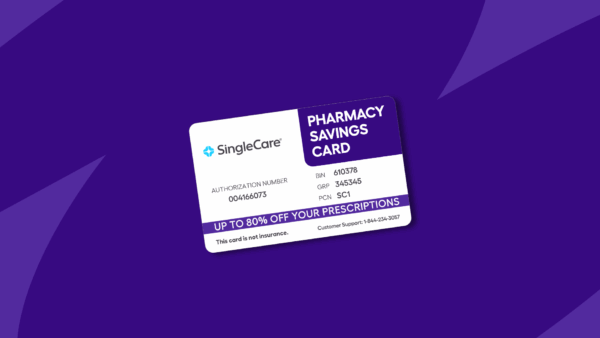
- If the pharmacy staff has scanned in your card, ask them to double-check that the information was input correctly (the BIN, PCN, member ID, and group number).
- If all else fails, contact customer support at 844-234-3057 or support@singlecare.com.
The good news is, once your SingleCare card is working at your pharmacy, you can use the discount every month for your refills, too.
- Wegovy, DailyMed (2024)
- Medically accurate: SingleCare’s Medical Review Board analyzes all of our content to confirm it’s in line with current medical advice.
- Evidence-based: Our content is sourced from reputable U.S.-based healthcare professionals and peer-reviewed research.
- Trustworthy: All of SingleCare’s content goes through a multi-phase review process by our writers, editors, and Medical Board in order to provide clear and credible information.